If I were a curriculum or edtech administrator, I would...


Recently, Teach Paperless had a blog post asking readers to finish the statement, "If I were an administrator, I would...". 


I replied with "encourage teacher collaboration, support teachers in every way possible, encourage projects and team work, visit classrooms and talk to students, work WITH the faculty, parents and students to make the school the best it could be."


I wanted to expand on this idea and list what I would do if I were in charge of curriculum or educational technology for my district.


1. Implement Project Based Learning throughout the curriculum and in every grade. I would also want it to be interdisciplinary. 


2. Change the curriculum to be more in depth, and less breadth of topics (complaint of colleges). I would still have to make sure students are prepped for standardized testing (unfortunately), but I would look at better ways of having students learn and be able to do well on a test without resorting to teaching to the test.


3. Make sure the curriculum applies what students are learning to the real world. They won't remember a lot of facts and details, but if things apply to real life, it can make them better consumers and better citizens (by being knowledgeable). 


4. The curriculum should emphasize discovery, inquiry, teamwork, critical thinking, and problem solving, not remembering tons of facts. 


5. Ala Carte Professional Development for teachers - let them pick and decide what they need and want for training and support them throughout the year. 


6. Research, find, implement, and support new technologies that can improve teaching and learning. Find free (or cheaper) resources to replace paid or more expensive resources. (Ex. Google Apps for Education and Open Office instead of Microsoft).


7. Provide year-round support to teachers who are using and implementing technology resources. Make sure that they have both technical support and integration support. Ask teachers what they need or want for resources and help them find it. 


This is my short list of what I would want to do as an administrator. What would you do if you were in charge of curriculum or educational technology for your district? (and if you are in charge, what you do?)


READ MORE - If I were a curriculum or edtech administrator, I would...

Educational Technology needs to actively engage learners


Educational Technology is a wonderful thing, if  used right. We need to use technology to actively engage students and do different things, not just do the same things differently.

For example, in the "old days", teacher would project transparencies on overhead projectors. Now, they project similar content on expensive interactive white boards. What is being done differently here? Are the students interactive, or is it the teacher being interactive?

Don't get me wrong, I use PowerPoint and a projector (but no IWB) in my classroom. I use them for short lectures and discussions. I also show some short videos and animations through the projector. But I also know that my students need to be active, not passive.

I'm lucky that I have 7 student computers in my classroom. Students get into groups and do labs and they can use the computers to help them. They also use the computers to do research, do online labs (great for money strapped districts), access review materials and create things. They do all kinds of projects in my class, as well as labs. They create videos, presentations, websites, and more as part of their projects. They are able to explore things that they would never have been able to do before. They work in teams to solve real problems and do real research in science.

I also use technology to communicate with them through email, the class blog, and class website. They get information, resources, and help through these technology tools.

Too many times I see schools spend lots of money on technology but nothing new happens. Teachers are still lecturing for 45 minutes at a time to their students, who are still sitting, inactive, in their chairs. Students use $1000 laptops just to write a paper using Word. We need to use technology to get students thinking and solving problems, not just receiving information.

There are a lot of different ways you can use technology to engage students and improve teaching and learning. Get the students active using different resources to create something. Have them share that creation with others and get feedback. Have them solve problems and do projects. Get them thinking and creating. Get them working in teams. Get them active.

If you are looking for ideas and resources for using technology to engage students, here are some resources to get you started.

This blog that you are reading. 

Free Technology for Teachers

Philly Teacher blog

Cool Cat Teacher blog

Discovery Education Network Blog

Tech & Learning Magazine (free for educators)

and go on Twitter and start following other educators. #edchat is a great way to start. Create a Personal Learning Network so you can find more resources and get more ideas.

Here are some articles to get you started with using technology more effectively, engaging students and getting started with Project Based Learning:

Should we force students to learn? or How can we change schools to engage students?

Getting Started with Educational Technology

How To Get Started With Project Based Learning

The Value of Educational Technology

8 Tips for Teachers to Enhance the Use of Technology in the Classroom

How Technology can help Improve Education

Excellent Educational Model - WPI Plan


Technology is a great thing, but it is only a tool. It is only as good as the craftsman wielding it. Educators need to be craftsman and wield their tools effectively. Our goal is to improve teaching and learning and to help our students develop the skills that will serve them in the future.
READ MORE - Educational Technology needs to actively engage learners

Guest Post- 8 Tips for Teachers to Enhance the Use of Technology in Classroom


It’s a reality that all of us have to wake up and face, today and now, not tomorrow or sometime in the future – technology is taking over and dictating the way we work and play. And with kids becoming more adept in the use of technology, it’s the teachers who are left behind because they don’t understand technology and they’re reluctant to learn because they fear they never will. However, technology is a pretty simple creature – once you know the basics and keep practicing (using it regularly), you soon become a pro. So this academic year, here’s how you can make your class more tech-friendly, and introduce a new element of interest for your students:

1. Get to know and understand technology – you don’t have to become an expert on all kinds of technology overnight; all you need to do is find out what you can use in the classroom, and work on mastering its controls and features.

2. Practice before you bring it in – think of it as many dress rehearsals before the opening day of the school play; you need to be right on cue and not mess up if you want a standing ovation instead of boos from the crowd.

3. Know when you can use technology – some lessons are more conducive to using technology than others, and if you’re not sure about which classes to use technology in, talk to those who have done it before and get some ideas from them.

4. Use school resources – most teachers don’t know what the school’s lab has by way of technology. Very often, there are many devices that have been purchased and which lie unused – talk to the person concerned and see how you can put the technology to good use.

5. Prepare for mishaps – technology doesn’t always work perfectly; there may be a malfunctioning device, the power may go out, or you may not have set things up correctly. In such cases, it’s best to have a backup plan for the day’s lesson instead of whiling away the time trying to figure out what went wrong.

6. Tap the Internet – some schools may allow access to the Internet on a censored basis; so use the school’s computer labs to get your students introduced to websites that make learning both fun and informative. They can use these websites at home too, to work on their Math skills, or garner information for an assignment.

7. Introduce them to apps – most students these days carry mobile phones, so if you’re a little tech savvy, you can help them download the ones that are most useful to students. Many apps help them organize their tasks, manage their schedules, and even look up information quickly on the Internet.

8. Gather feedback – there’s no use of technology if it doesn’t make your job simpler or help you get things done more efficiently. If all technology is doing is wasting your time or making you do things twice over, then your classroom is probably not yet ready for the benefits that technology can provide.

By-line: This guest post is contributed by Brianna Davis, who writes on the topic of bachelor of arts online . Brianna welcomes your comments at her email id: briannadavis9-AT-gmail [Dot] com

READ MORE - Guest Post- 8 Tips for Teachers to Enhance the Use of Technology in Classroom

How Technology Has Helped during Injuries and absences

SAVED BY TECHNOLOGY
(again)

Technology is a great resource for educators and students for a variety of reasons - differentiation, doing new things, exploring things that you wouldn't be able to otherwise, saving time and money, getting organized, and much more. However, technology has helped me in other ways due to some injuries I've had.

Since 1988, I've been involved in EMS and am a paramedic and EMS-Instructor. EMS work takes a toll on  your body and I've had a couple of injuries over the years that have affected me in school too.

A few years ago, I had to have knee surgery for cartilage and tendon damage. I scheduled the surgery for the Friday before Christmas break to limit my absences, but I was still on crutches and mobile challenged for a while afterward. Two years ago I hurt my back - two herniated discs - and have had flare ups and trouble since then. There are days were I can't stand or walk much at all.

Technology helped out - I can sit at my computer and control PowerPoint, websites, and more and mark them up as needed. I can monitor what my students were doing on the classroom computers, and I can work on lessons. I even have a remote control for my computer so I can sit in a different chair, or move to a different position and still control the remote. When I haven't been up to standing and writing on the board, I can put a piece of paper under the document camera and write on that, projecting it up to the board for all to see. When I've been out for these injuries, I've been able to communicate with my students through email and the class blogs and website. I can share resources with them through the blog and even share notes from Evernote, along with sharing my presentations and other materials. When absent, I can still assign work to them and even get their assignments from them for review, without coming into school. I can teach, even with injuries that prevent me from being mobile, or even in the classroom.

Technology also helps students who are absent or injured. Students can access assignments, resources, or me from home (or anywhere else). They can work on many assignments while at home, without needing anyone to come and pick up materials, because most assignments are on websites or downloadable from the class web site. If they are in school, but injured, like one of my football players was this year, they can sit in their chair and still do work and participate. I can lend them a laptop to use to take notes, access materials, and more, so they don't have to go over to the classroom computers, which are around the outside of the room. Class notes, handouts, assignments, and resources are all posted online for them, and I'm always available via email or the class blog.

Technology has made absences and injuries less of an issue in the classroom. It makes these things less disruptive to the whole process.

How has technology saved you?


Related Article:

Technology to the Rescue while out on Jury Duty
READ MORE - How Technology Has Helped during Injuries and absences

Educational Technology Network

ed tech network.png.png


Educational Technology Network is a site that has some nice resources and tips/ideas for using technology in the classroom.

The resources are divided up by category and include ideas for using document cameras, PowerPoint, Social Networking and much more.

The blog link seems outdated as the newest post I saw was from August of 2009, but the site has some nice ideas and tips for educators.
READ MORE - Educational Technology Network

Technology to the Rescue while I'm out for jury duty

TECHNOLOGY TO THE RESCUE!

I've been selected to serve on a jury here in Connecticut. The case is only supposed to run for about 5 days, so I won't be out of the classroom that long. However, I don't like missing school for any reason. So, I'm very thankful for the technology resources I have in my classroom and the fact that I have been using them with my students all along.

The case is tentatively slated to start this coming Wednesday, so I have two days in school to layout the plans for the sub and get organized. I've been working on the plans this weekend, and realized that things weren't changing much from what I would have been doing with them if I was in the class. The only real difference will be that I won't be physically in the classroom to give real-time feedback and guidance to the students and I won't be doing the short topic lectures that I usually do for each topic.

My AP Physics students are working on the unit on Sound and the Physics class is working on the unit on Universal Gravitation. The AP Physics class will be reading the chapter in the textbook and doing problem sets. Both classes will be using websites and Multimedia Science School (MSS) software to further explore and understand the topic. The websites and MSS software have self paced lessons on the topics, with problem solving practice, virtual interactive labs, videos, and demonstrations of the concepts.

I will be communicating with the students via the class blog, and will be communicating with the sub and my colleagues via email to monitor their progress and address any issues or questions. My department is very good at looking in on classes with subs and assisting with any issues. The class blog will also be used for students to submit their work, ask questions, and receive answers and help from me. Normally, I would use the blog for all of this, but I would also be in the classroom to answer questions and give guidance to the students as they work. Instead, I will have to answer questions and give guidance in a delayed time format via the blog each evening. My students all subscribe to the blog so that they get updates when I post new things or respond to comments. They also contact me via school email for questions and issues so we are able to expand their learning beyond the normal school day.

They'll also be watching some great videos on Discovery Education that relate to the topic.

I also maintain a class web site that has resources, links, handouts, and more on it. I post solutions to work along with the lecture notes that I use.

Technology will keep my students learning and exploring as I am absent from the classroom and not cause the typical wasted days and busy work that many students experience when their teacher is absent from the class.

I am very excited and intellectually curious to experience our justice system 1st hand and am very happy that I can do this and still educate my students because of technology.

AP Physics Class Blog
Physics Class Blog
Class Resource Site
Multimedia Science School Software


What are your experiences with activities for your students when you are absent from school?
READ MORE - Technology to the Rescue while I'm out for jury duty

21 Things for the 21st Century Educator


21 Things for the 21st Century Educator is a site based on the National Educational Technology Standards for Teachers. It has a huge amount of resources that help teachers learn about technologies and how to use them in their schools to improve teaching and learning.

It includes information, links, resources, tips, and how-to's about collaboration tools, differentiated instruction, blogging, productivity tools and much more (21 categories!).

There are also some links to NETS and other Ed Tech resources for teachers.

I've found some really great resources and ideas on this site and highly recommend it to all educators.

The site was recently updated and contains even more great resources.


READ MORE - 21 Things for the 21st Century Educator

Encyclopedia of Educational Technology - great resource for all educators.


The Encyclopedia of Educational Technology is a site created by San Diego State University. The site is a great resource for educators, covering all kinds of topics in Educational Technology.

The Table of Contents is set up by category: Cognition and Learning, Analysis, Design, Development, Implementation, and Evaluation. Under each category, there are subcategories, such as eLearning and Multimedia development, with a huge number of resources.

The articles are well-written and to the point.

This is a must see resource for educators using educational technology.
READ MORE - Encyclopedia of Educational Technology - great resource for all educators.

Connecting Student Learning and Technology


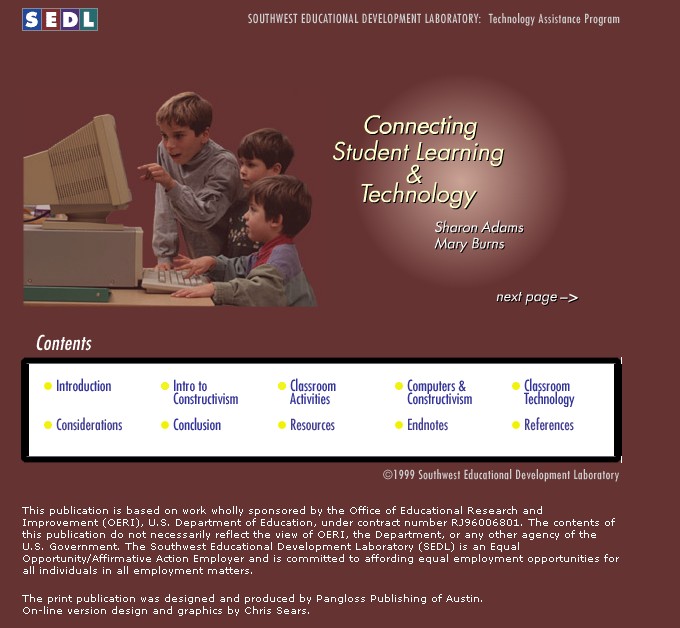
Connecting Student Learning and Technology is a web resource for teachers that shows ways to use technology in education to address the diverse needs of our diverse student population.

The site refers to constructivism a lot, but even if you don't follow that line of thinking the site has some great resources. There are references, classroom activities, lists of technology and how to use it in the classroom and much more. It is a good place to start when trying to decide on how to use technology in your classroom to enhance learning.
READ MORE - Connecting Student Learning and Technology

My classroom layout and resources


I was recently asked how I am able to so so much with technology in my school. I have to say that I am very lucky with the equipment I have.

I have a teacher station with an HP desktop, HP LaserJet printer, Canon Color Inkjet Printer/Scanner/Copier/Fax, Speakers, DVD Player, VCR, and LCD Projector and internet access. The computer, DVD player, and VCR all connect into the LCD Projector. I also have a document camera, digital camera, and a Flip video camera.

My room is a physics lab room. I have 30 desk/chairs and six lab stations. I also have 8 desktop computers spread around the room. The 8 computers are connected to a networked printer. There is no WiFi in my corner of the building, yet, but it is coming and all of the desktop computers are connected to the internet.

I also have a Mimio system that turns my white board into an interactive white board. I can capture my notes, operate my computer and presentation from the board and more.

In addition to all of this, the district has also purchased some very nice software for the science department. We have Cyber Ed Physical Science, Biology, and Chemistry and Plato Learning's Multimedia Science School. The district also has a subscription to Discovery Streaming.

With all of this equipment and access to software and the World Wide Web, I am able to provide my students with a variety of learning experiences. They do WebQuests, use the software for reinforcement and virtual labs, get to see and experience new and different things. I can show them almost anything through the projector, from videos, to demonstrations, to virtual activities, and more. The AP Physics class is going to be using the Flip video camera and the computers to create an online Physics reference site with videos of labs and physics demonstrations. While doing this, they will be learning and applying physics, technology skills, and more. And, the project will help other physics students.

I'm also trying to go as paperless as possible. Students can email me work or use my Drop.io box to submit electronic copies of work. The Canon scanner is used to digitize paper work and assignments for digital portfolios. Instead of lab or project handouts, everything is posted on the class blog or website and students access it through the class computers.

Students who don't have a computer at home can use the ones in my room for any assignment and for any task. They know they can come to my room before or after school and use the computers.

I am very lucky for what I have in my room. It makes teaching and learning better and more interactive.

READ MORE - My classroom layout and resources

Tech tools to check out this summer.


Today is the last day of school. Graduation was last night.

My grades are done and submitted, my classroom is cleaned and organized, and everything is packed up for the summer. Now what?

Well, I'm still thinking about what I want to change for next year (see the two posts below this one) and deciding what new tech tools to play with this summer and see how they can help improve teaching and learning in my classroom.

Here's my list:
  • Glogster
  • Introduce Twitter to my students (I use it, but thinking of using it as a CRS or backchannel).
  • More student blogging.
  • Student website in AP Physics where they will create the site as their own study guide and resource for the year. Then, each year other classes will add and modify it.
  • More Discovery Education resources.
  • Edmodo
  • Thinkfinity
  • Use more NASA resources in my Physics classes

I also have some other responsibilities this summer:
I teach an EMT Class and Paramedic Class.
I am on the committee to change the EMS-Instructor curriculum for Connecticut.
I am a new member of the DEN Leadership Council for Connecticut.
Keep up with my TL Advisor blogs for Tech&Learning magazine.


I also need to relax and recharge for next year.


What tech tools are you thinking of investigating to use next year?


Related Posts:

READ MORE - Tech tools to check out this summer.

Tech Training Wheels


Tech Training Wheels is a great site created by a group of Google Certified Teachers. They have created some excellent tutorial videos on topics like embedding videos in a Google site, Managing navigation of a Google site, using Sketchup and documents, among others.

They have a community part set up on the site and encourage users to upload their own tutorials.

It is a great site for newbies or even experts to find new tips and ideas.


READ MORE - Tech Training Wheels

I Heart EdTech Blog Swap


Here is a post from my "I heart EdTech Blog Swap":


What’s the buzz? Tell me what’s happening….

By K. Evans

Ok, so it is a line from the 1970’s Rock Opera by Andrew Lloyd Webber. Yep…that dates me! As I was deciding on my topic, the terms: 21st Century Education, 21st Century Schools, 21st Century Learner, etc began to bounce around my head, as these are buzz words which are circulating in our district.

So what about the 21st Century Learner? Schools? Education? Classroom? What’s the buzz?

The technological revolution is upon us and has opened the door to a wealth of information which has the capabilities to enhance the educational structure we offer to our students. The need to change both the role of the educator and meet the demands of the future is imperative. The majority of educators are modifying their teaching approach by facilitating learning, instead of simply dispensing knowledge.

With this said, I believe, Tony Wagner’s Seven Survival Skills for Careers, College and Citizenship for the 21st Century”, exemplifies exactly what is necessary for the coming century.

· Critical Thinking and Problem Solving

o Buzz Words: Reason, analyze, make judgments, solve, make decisions

· Collaboration across Networks and Leading by Influence

o Buzz Words: Engage, part of a team, work with others, contribute, collaborate

· Agility and Adaptability

o Buzz Words: Flexibility, accept feedback effectively – positive or negative, compromise, change

· Initiative and Entrepreneurialism

o Buzz Words: Self-directed learner, commitment, time management, lifelong learner

· Effective Oral and Written Communication

o Buzz Words: Articulate clearly/effectively, listen, utilize various/numerous medias and technologies, diversity

· Accessing and Analyzing Information

o Buzz Words: Critical thinking, evaluate, validity of information, process

· Curiosity and Imagination

o Buzz Words: The whys, utilizing various perspectives, generating new ideas

I came across this quote: “If we teach today the way we were taught yesterday… we aren't preparing students for today or tomorrow.” As you know, our students are entering the classroom with a wealth of pre-exposed knowledge to technology and are aware of what the internet has to offer.

The role of technology in the 21st century is both indispensable and crucial. It offers a vast array of learning opportunities to both the educator and student. As educators, it is essential for us to evolve with this generation and with the evolution of technology into our daily lives. Two great videos to view (if you have not already) are:

· A Vision of K-12 Student Today: This project was created to inspire teachers to use technology in engaging ways to help students develop higher level thinking skills. Equally important, it serves to motivate district level leaders to provide teachers with the tools and training to do so. http://www.youtube.com/watch?v=_A-ZVCjfWf8&feature=related

· Learning to Change Changing to Learn: Learning to Change Changing to Learn Advancing K-12 Technology Leadership, Consortium for School Networking (COSN) Video. http://www.youtube.com/watch?v=tahTKdEUAPk&NR=1

To read more about the 21st century learner, please visit the following site - edorigami. http://edorigami.wikispaces.com/21st+Century+Learners. Andrew Churches has created a very informative and insightful wiki about the 21 century learner.

Peace,

K. L. Evans

www.dovewhisper.com

http://techie-bytes.blogspot.com/


READ MORE - I Heart EdTech Blog Swap

Teaching with Technology


Teaching with Technology is a great resource for teachers. It has a list of different technology resources for educators. The resources are grouped in tables by category. Categories include Tools for: Creating, editing, and sharing; Communicating and networking; Managing time, tasks, and information, and Making it all work.

Many of the resources I've covered here in this blog, but there are a lot of other great resources listed. Everything from documents to presentations to videos to Skype to Twitter to Google Calendar to Remember the Milk to firewalls and anti-virus.

This is definitely a site to check out and bookmark.


READ MORE - Teaching with Technology

List of Resources I've recently posted to Twitter

Here is a list of the resources I have posted on Twitter recently:

Tech Tip - how to mask your email address - http://trunc.it/5l6sb

Google Maps adds Lab features like aerial tilting view - http://trunc.it/5icy2

Tips on Using Google Buzz - http://trunc.it/5hyxi

Surf Dog promotes literacy in children of all ages. http://www.surfdogsunsetbeach.com/

Online Tech Tips - Google Buzz - http://trunc.it/5euvr

20 Free Apps for the Web 2.0 Student http://bit.ly/ckzSvH - and some more - http://trunc.it/5hfmc

Digital Textbooks - online resources to replace your textbooks - http://trunc.it/5hue5

Blogs as a teaching tool - some ideas for teachers and examples -http://trunc.it/5gjeh

Resources and tips for Using TV in the classroom - http://trunc.it/5jbpb

Evernote - note taking, web capture, image search & much more-great resource for getting organized- http://trunc.it/5htym

Aviary online graphics editors and web screen capture - http://trunc.it/5dqbg

Science Lesson Resources - some great material - http://trunc.it/5hti2

Alternative to Microsoft Office - OpenOffice - now with improved performance - http://trunc.it/5hq7g

Google Chrome Browser review and features - http://trunc.it/5dozu

Tech Tip - are you being recorded in your classroom? http://www.180techtips.com/100.htm

Great new Web 2.0 Resource from Discovery Education - http://web2010.discoveryeducation.com

Tech Tip - What Does "beta" mean - http://www.180techtips.com/98.htm

Some great PowerPoint tips and resources: http://goo.gl/SAbu , http://www.180techtips.com/99.htm

Enjoy.


READ MORE - List of Resources I've recently posted to Twitter